 ModoForge
Custom to the core
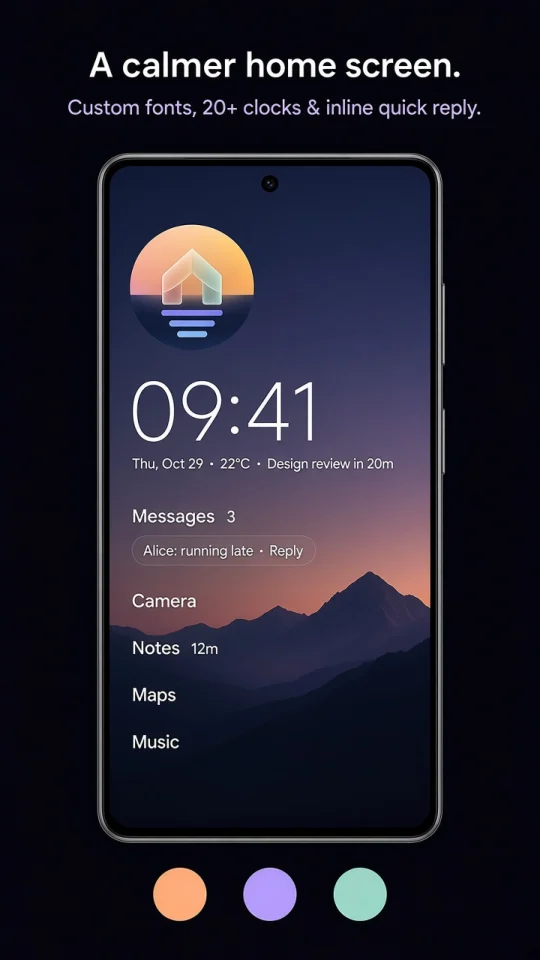
20+ clock faces, curated type presets or any Google Font, wallpaper tint, dimming and Pure Black.
LookModoForge swaps icon grids and endless scrolling for a few quiet lines of text that change with your day. A mindful pause before distracting apps, notifications that wait their turn, and search that does things. No ads, no account, and everything stays on your phone.
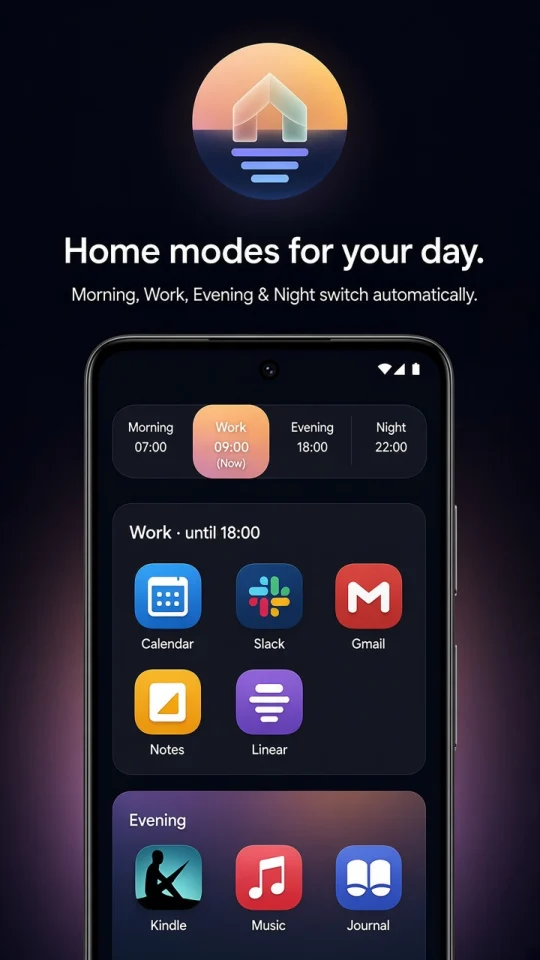
Tip: tap Morning, Work, Evening or Focus on the phone.
A small taste of three things ModoForge does on your phone.
Five curated type presets, or any Google Font with your own weight and spacing. Plain white, a tint from your wallpaper, soft pastels or Pure Black for AMOLED.
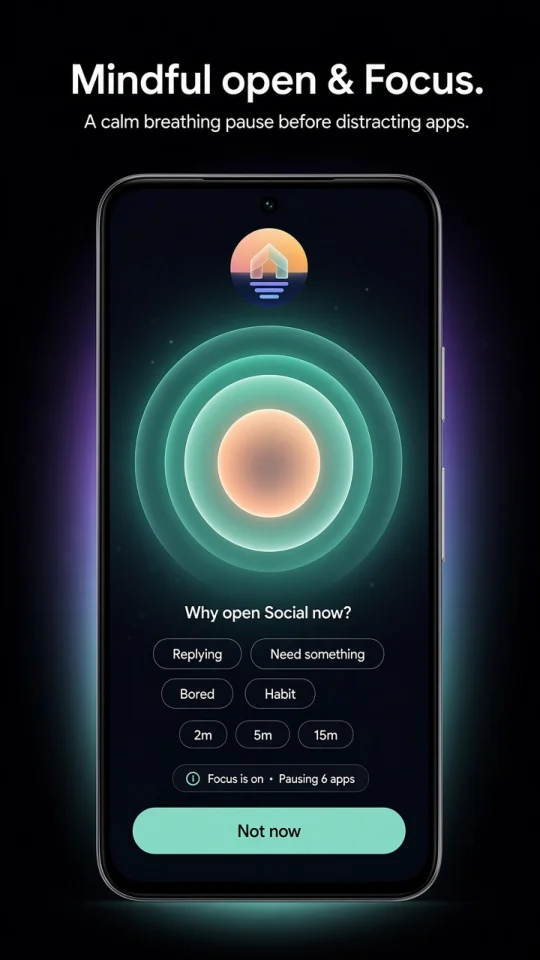
Choose the apps that pull you in. Opening one shows a short breathing pause and asks why: replying, need something, bored or habit. Pick a session length, and ModoForge reminds you gently when it's up.
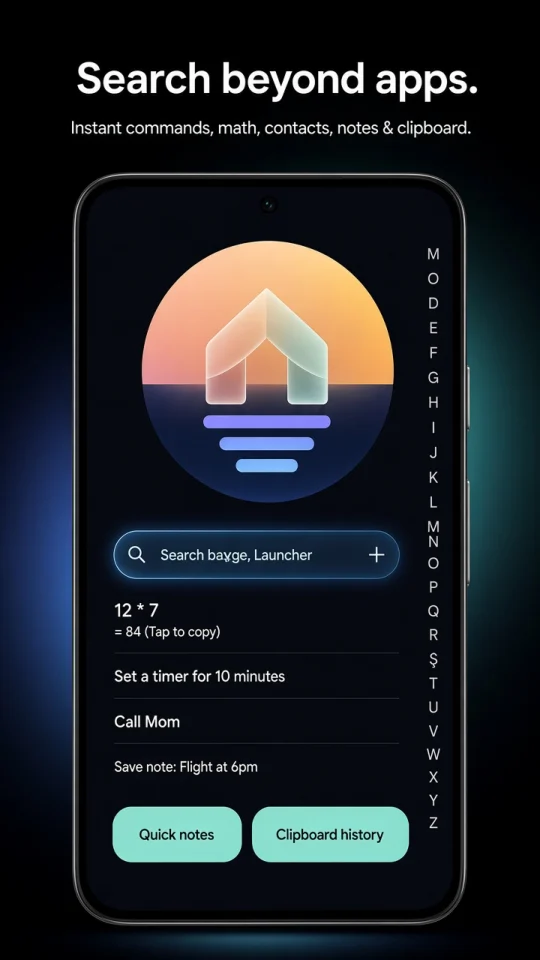
Swipe up and type. Beyond apps, search does sums, sets timers, calls and texts your contacts and saves notes, all without opening another app.
Minimal on the surface, with the tools you'd otherwise install five apps for.
20+ clock faces, curated type presets or any Google Font, wallpaper tint, dimming and Pure Black.
LookMorning, Work, Evening and Night each pin their own apps, and switch on their own at the times you set.
Your dayA breathing pause before distracting apps, session timers, and Focus that pauses apps on a schedule or with a tap.
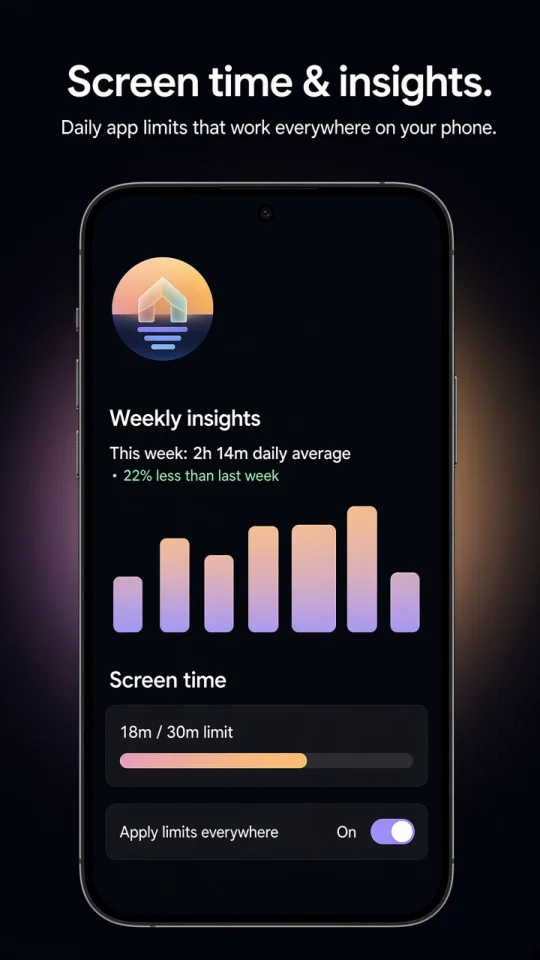
WellbeingToday's use beside each app (18m / 30m), daily limits, and weekly insights on busy hours and pickups.
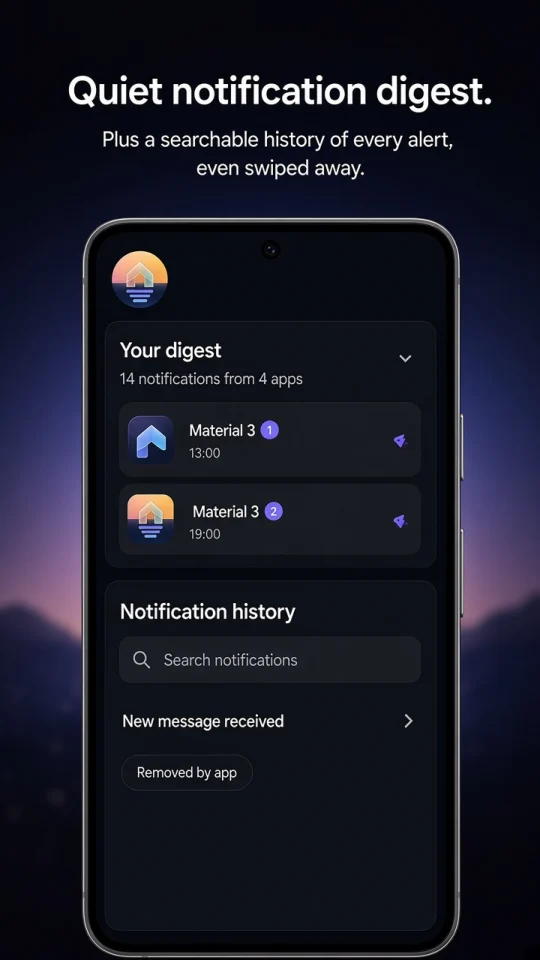
InsightsCounts beside app names, quick reply from home, a digest at times you choose, and searchable history.
CalmSums, timers and alarms, call and text contacts, quick notes and clipboard history, from one search box.
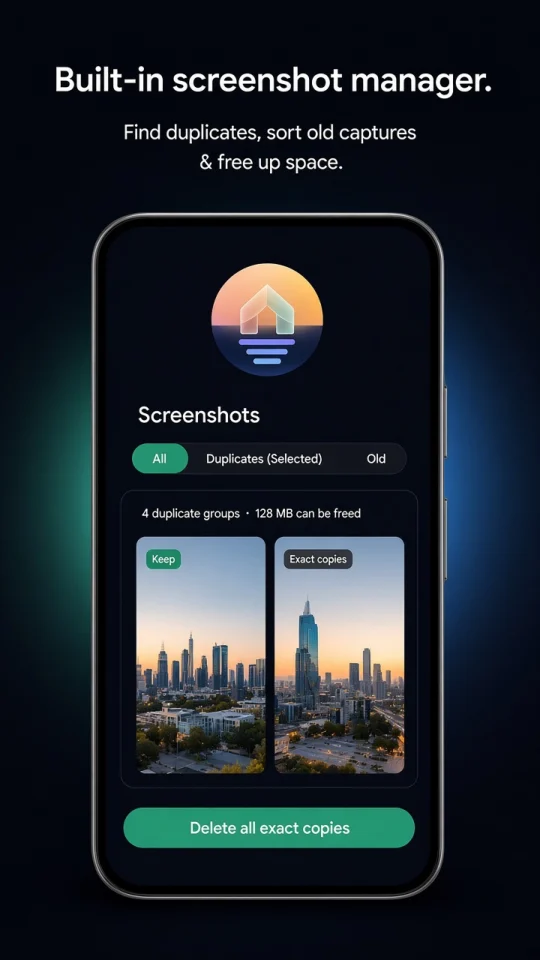
ToolsFinds exact copies and look-alike duplicates and clears old captures to free up storage.
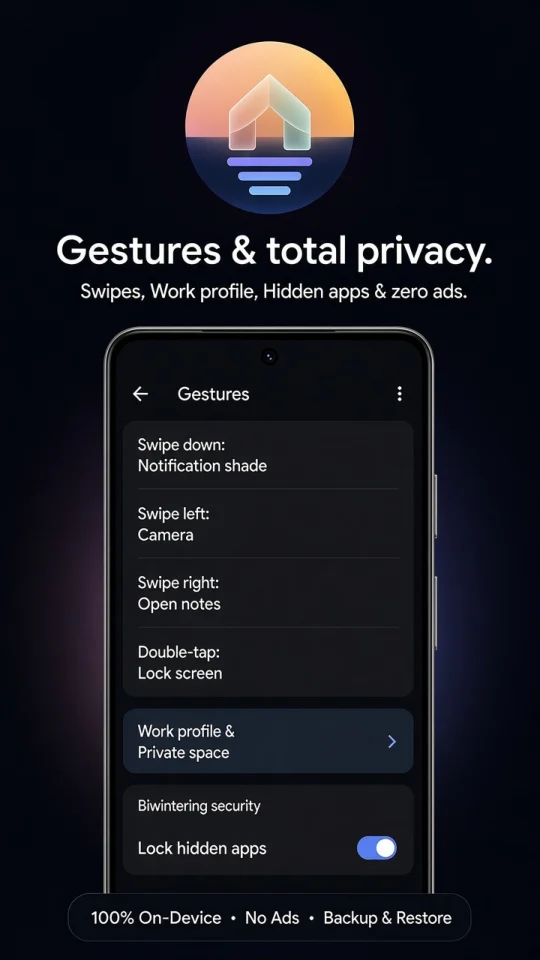
CleanupMap swipes and double-tap to lock, notifications, camera, Focus or any app. Hide apps behind your fingerprint.
ControlScroll sideways through the screens.
ModoForge is free to use, with no ads and nothing to sign up for.
Minimalist launcher

Live wallpapers from the same studio
Only if you turn on notification counts, quick reply, the digest or history. ModoForge reads notifications on your phone to show and hold them, and keeps the history on the device. Nothing is sent anywhere.
Screen time, daily limits and weekly insights need Android's usage access to know how long each app was open. The numbers are worked out and kept on your phone.
It is optional and used only if you choose Apply limits everywhere or map a home gesture to lock the screen or open notifications. It notices which app comes to the front so a limit or Focus can pause it. It can't read what's on your screen, and nothing is stored or sent.
Any phone running Android 7 or later. Work profile apps appear in the drawer, and on Android 15 and later so does Private space when ModoForge is your home app.
Yes. Settings › Backup exports your layout, modes and notes to a file you save wherever you like, and you restore it on the new phone. ModoForge keeps its data out of Android's cloud backup.
Yes. ModoForge keeps the home screen to a few lines of text, so a VibeFluid live wallpaper shows through. Dim it or tint the text to match.
ModoForge is in testing before it comes to Google Play. Write to us to join as an early tester.